Module 3 Activity Research

Weekly Activity Template

Jane Hou and Natalia Gómez Salas


Project 3


Module 3

Through project 3 we were able to polish our previous prototypes by making them functional and interactive within the audience. We were able to explore materials and figure out the most appropriate one to carry out our projection. We tried a experimental approach to our project not only through the concept but by exploring using semi-translucent materials to project our Protopie onto it and connect it with the Logitech Wheel. We explored ways of reducing distractions on the road by incorporating a head ups display with minimal UI design in an era where every car UI is too modern to the point that it is overwhelming at times.

Activity 1: Interface Design
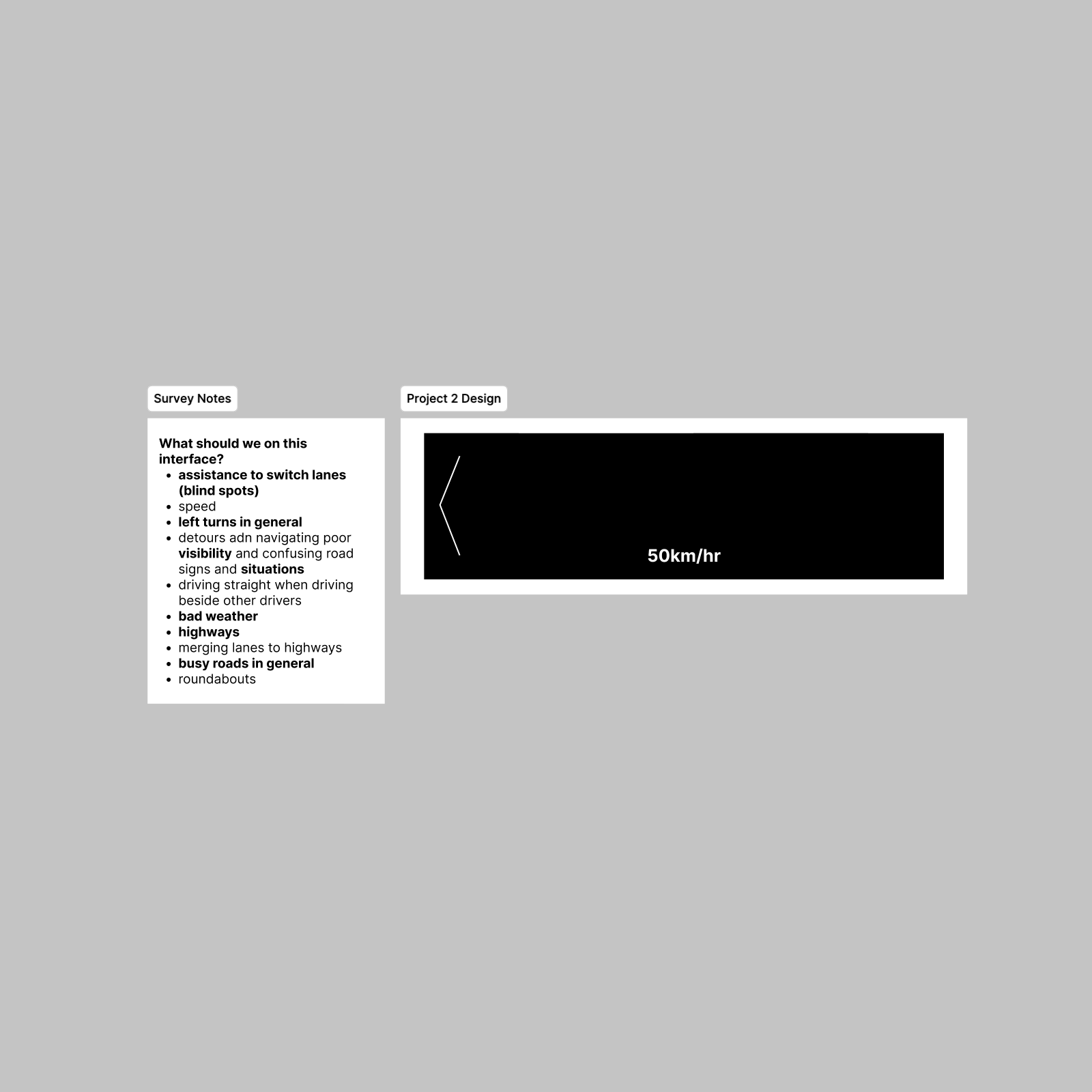
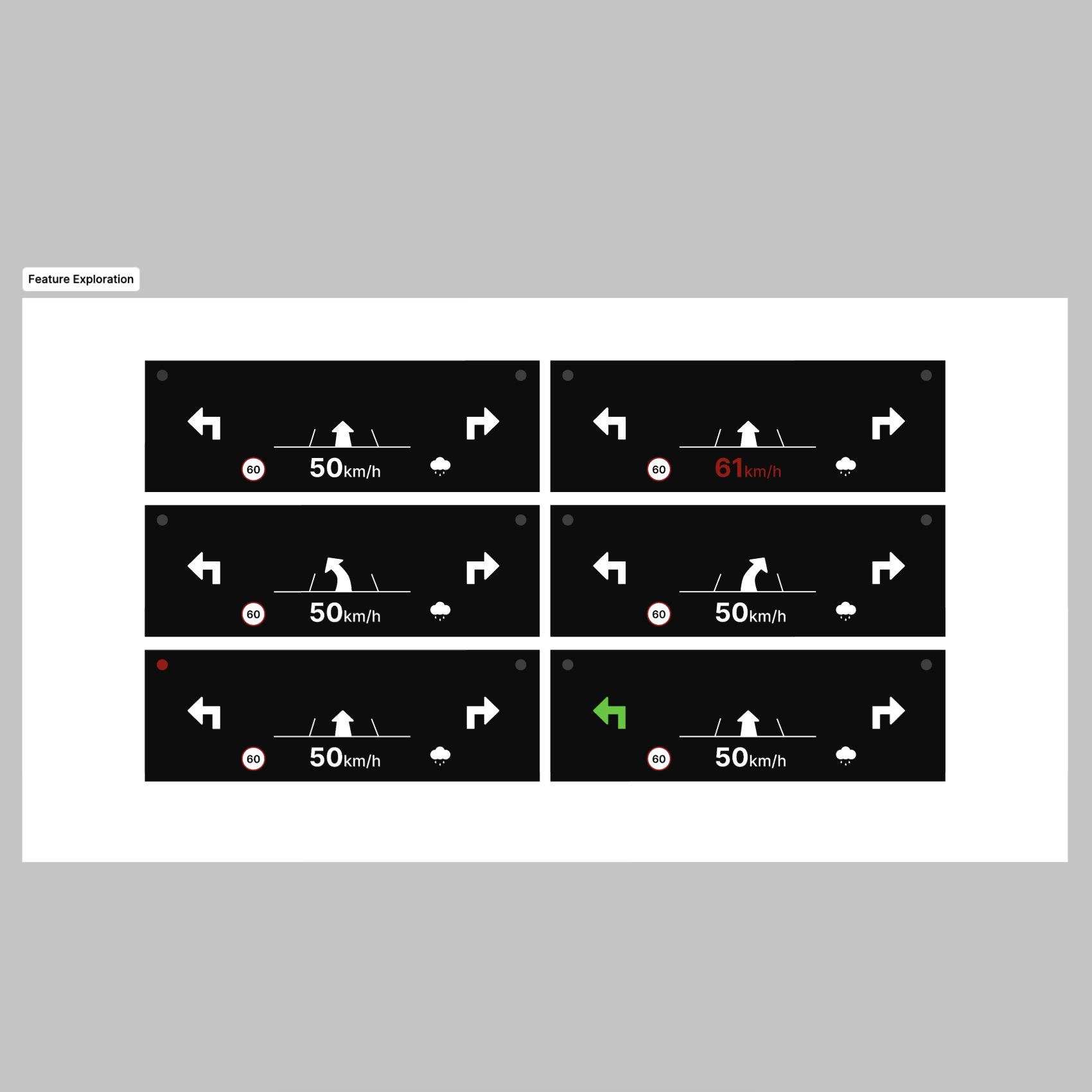
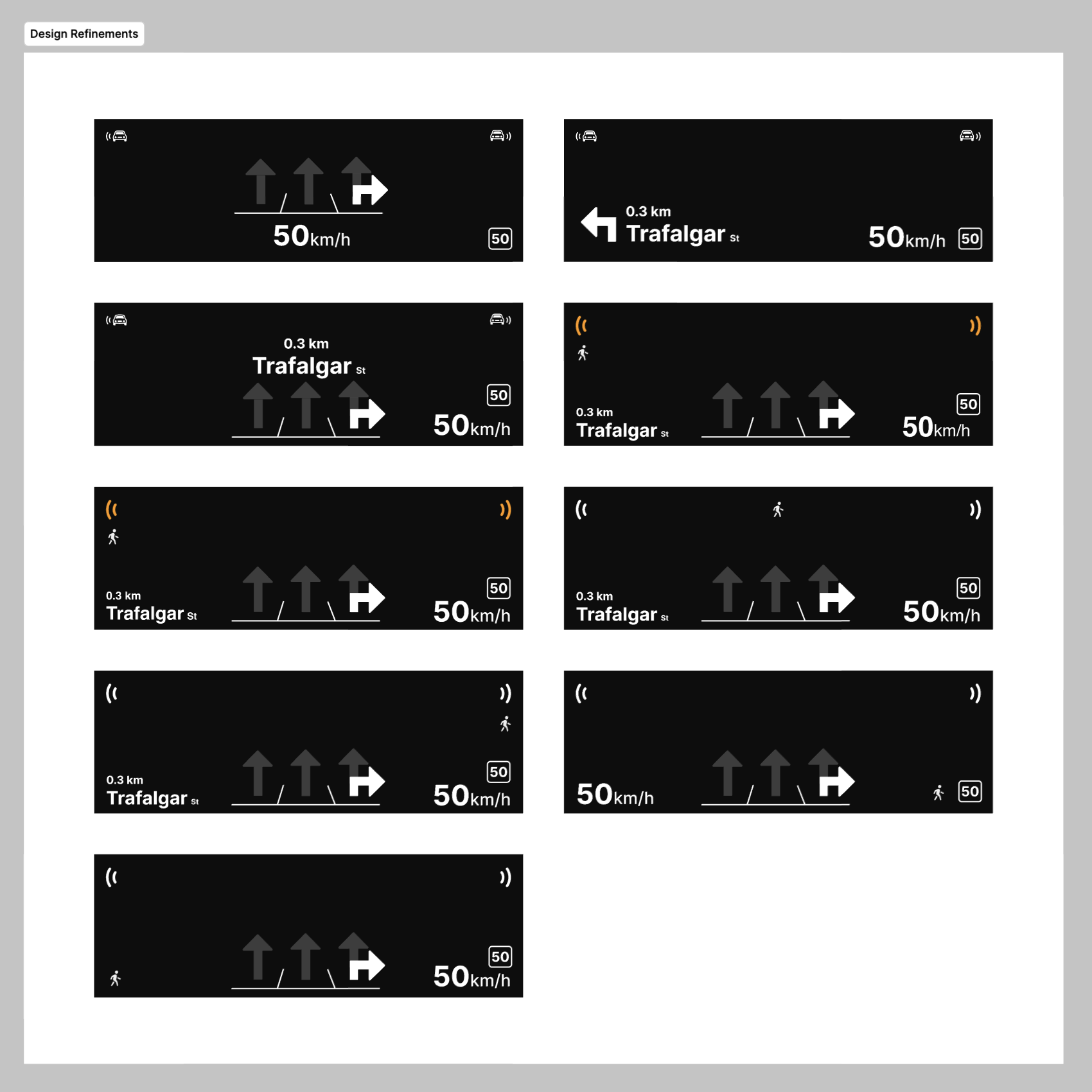
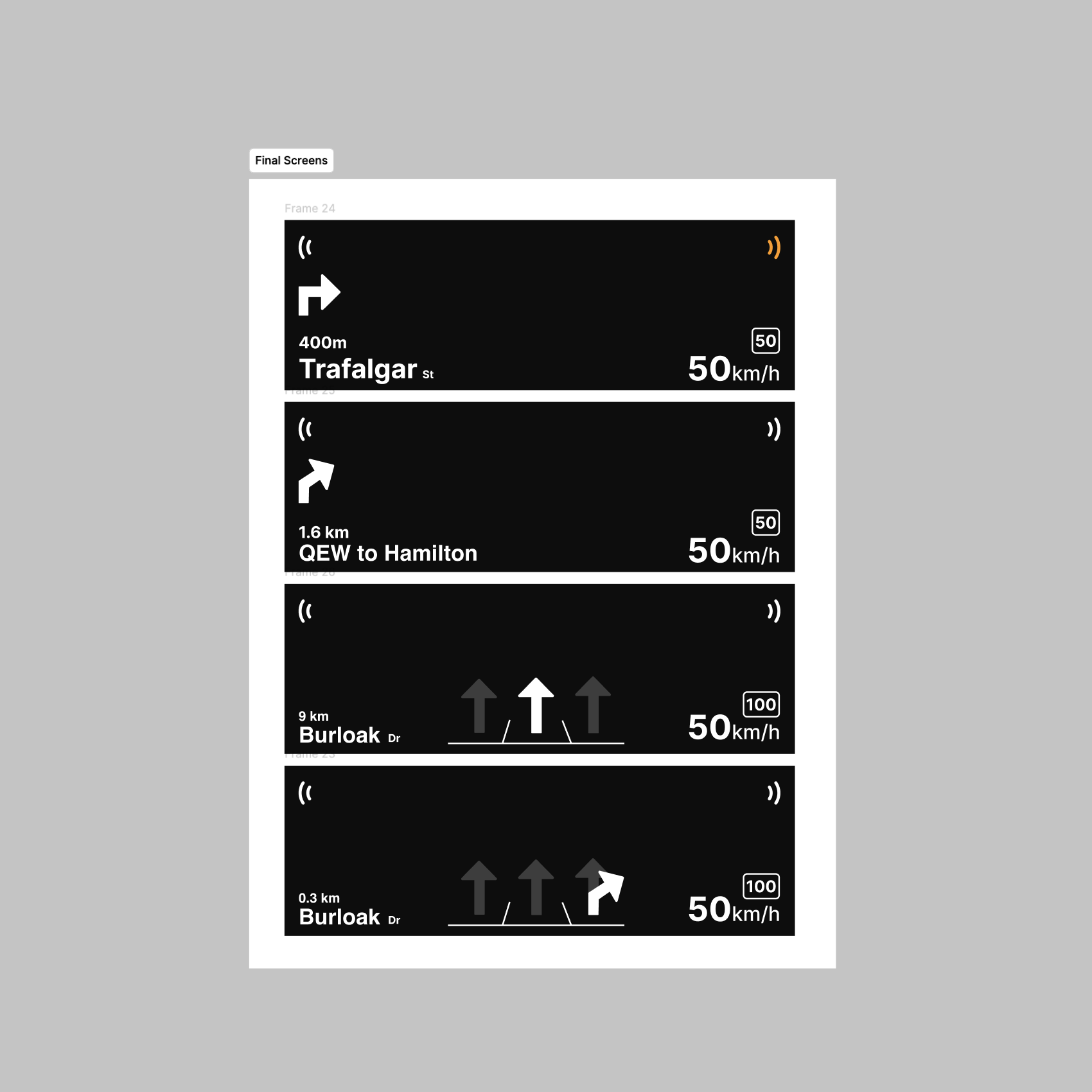
Before starting our designs, we reviewed the survey results and took note of key reasons why participants felt anxious or stressed while driving. We experimented with balancing addressing these concerns in our design while also trying to reduce clutter. Though some reasons for their anxiety and stress were not controllable by the interface including weather conditions. We tested our design with peers to get feedback on how we should refine them further. We were suggested to look into pedestrian warnings or to include instructions for turns and directions. Using that feedback, we tried different iterations of our design to see how we could improve the usability and clarity of the interface. A challennge we faced was figuring out how much information to provide the user without overwhelming them. For our final demo, we made a few screens to simulate driving onto the highway from Sheridan campus.

Activity 2: Implementation

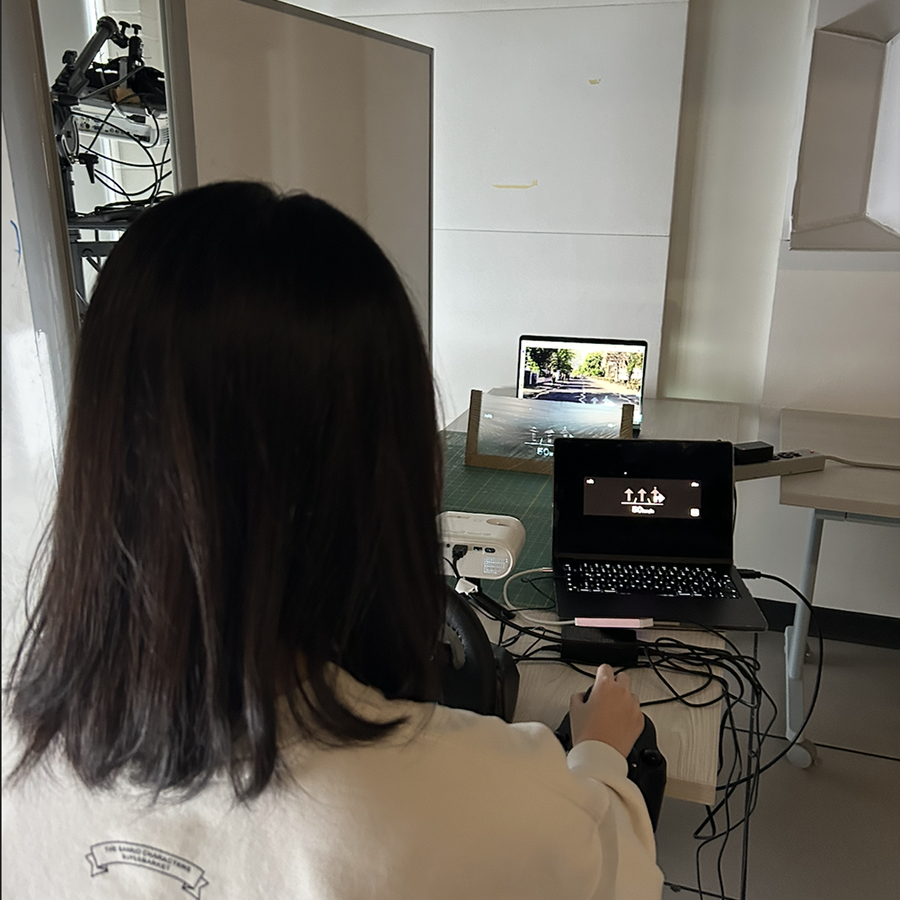
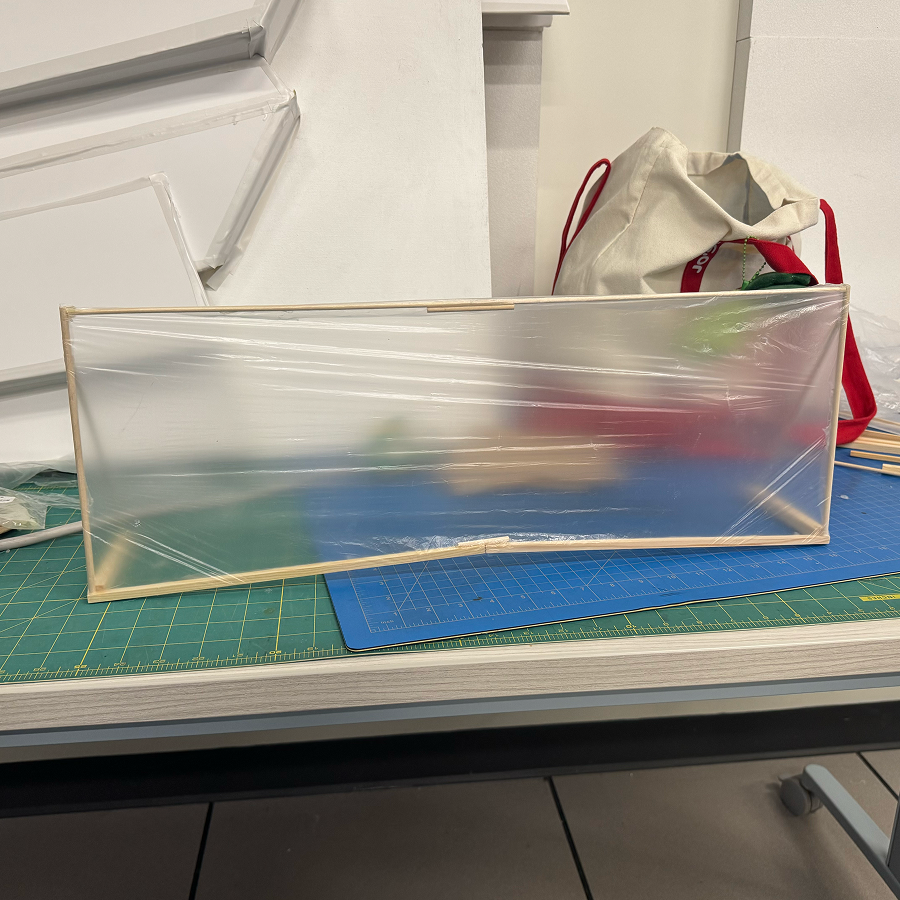
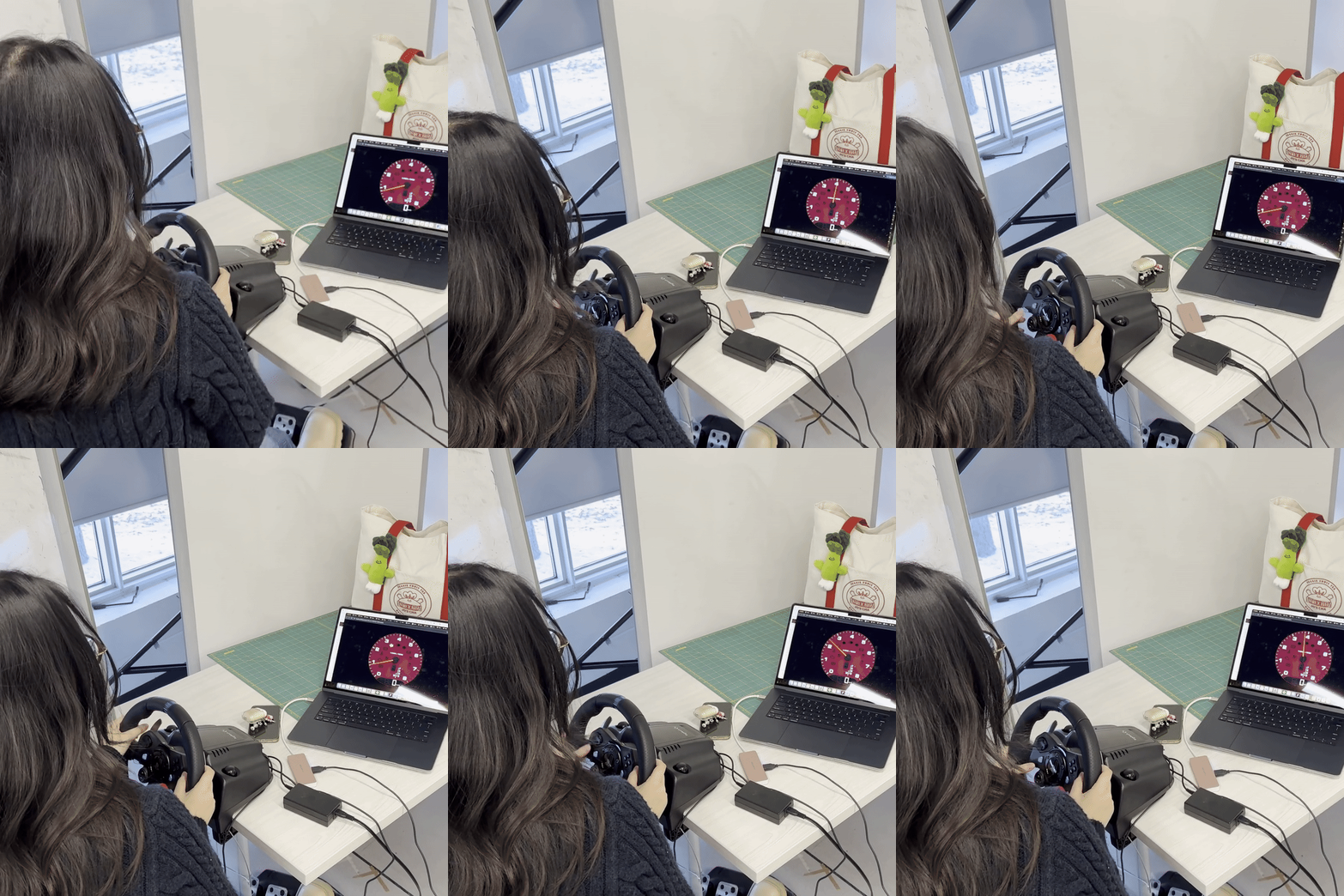
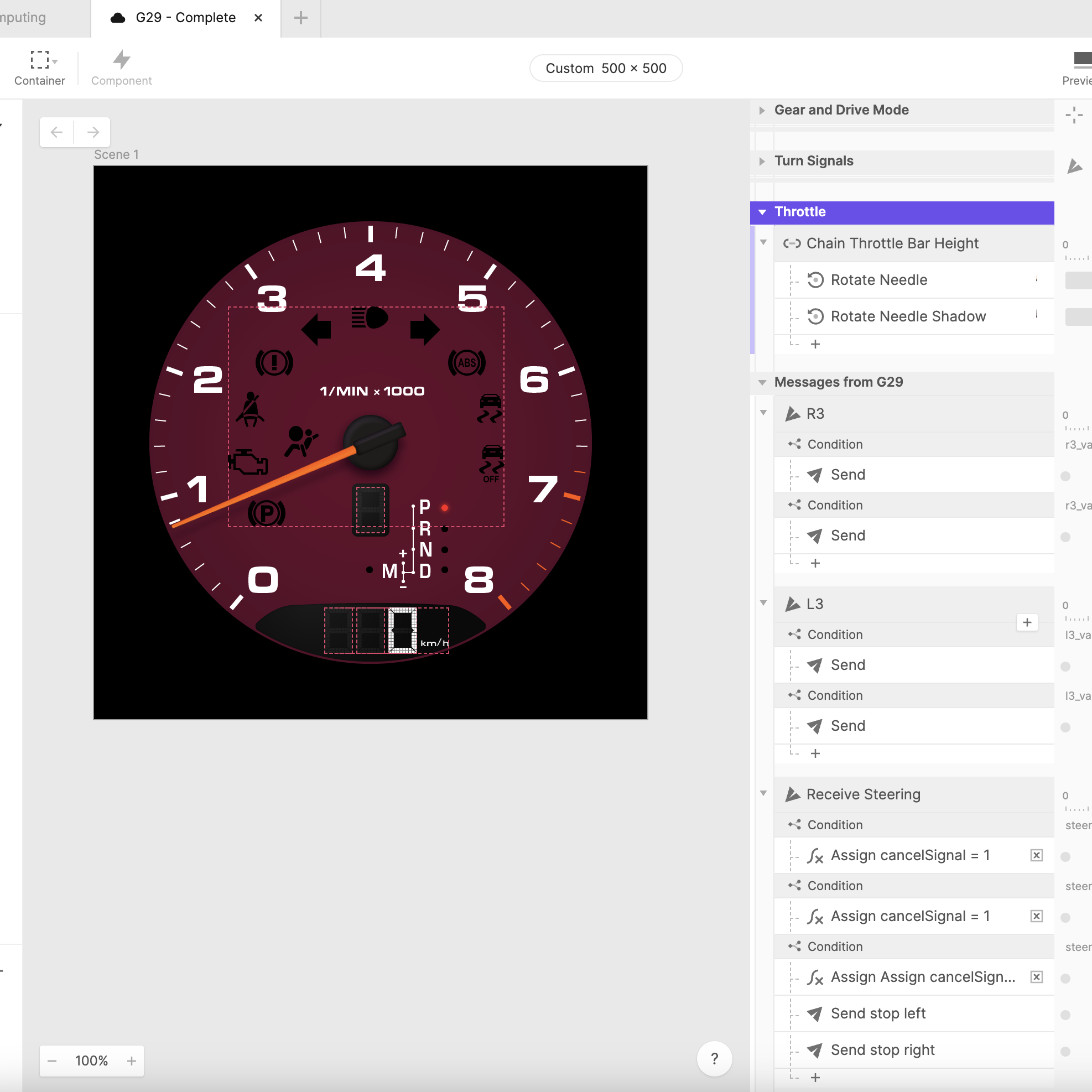
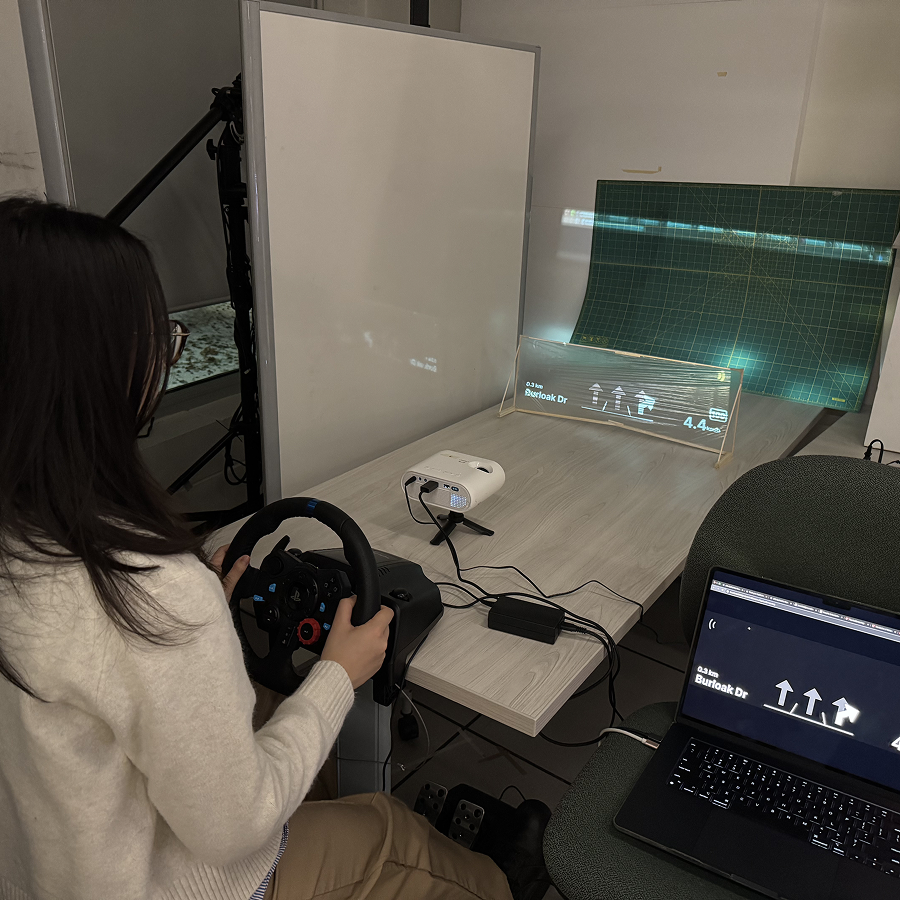
We created a larger windsheild prototype using a plastic bag and wooden sticks. This allowed us to have a bigger area to project our interface onto and was more close to the intended size of the projection (onto the driver's side of the windshield). We found that the wheel was inconsistently connecting to Protopie, so we had to troubleshoot by going back to the tutorial, rewatching the videos and testing the original template that is already set up by Protopie. Our conclusion is that the wheel is inconsistent with it's connection, as it will continuously turn on an off without any changes on our end. It will also work on and off evenn if the same demo file is used. To create a responsive prototype, we used Protopie's demo template as a starting point and copied the triggers we needed onto our Protopie file and change the responses to match our design. Instead of having the needle of a speedometer move, we decided to have the speed change numerically. Although we copied the demo template's trigger for speed changes, we had to create our own response using Protopie's 'Set Text' option to have the speed change numerically and remove the rotation response as you can see effected the angle of the speedoemeter text. This is our final setup for our prototype. We tested and adjusted the timing of our instructions. We had initally made it accurate to the distance and speed, but shortened it for demonstration purposes.

Project 2


Project 3 Final Prototype

Our projects is aimed towards the overcomplexity of modern interfaces that can be distracting or overwhelming to drivers, specially those with anxiety, and ways of keeping eyes on the road at all times.

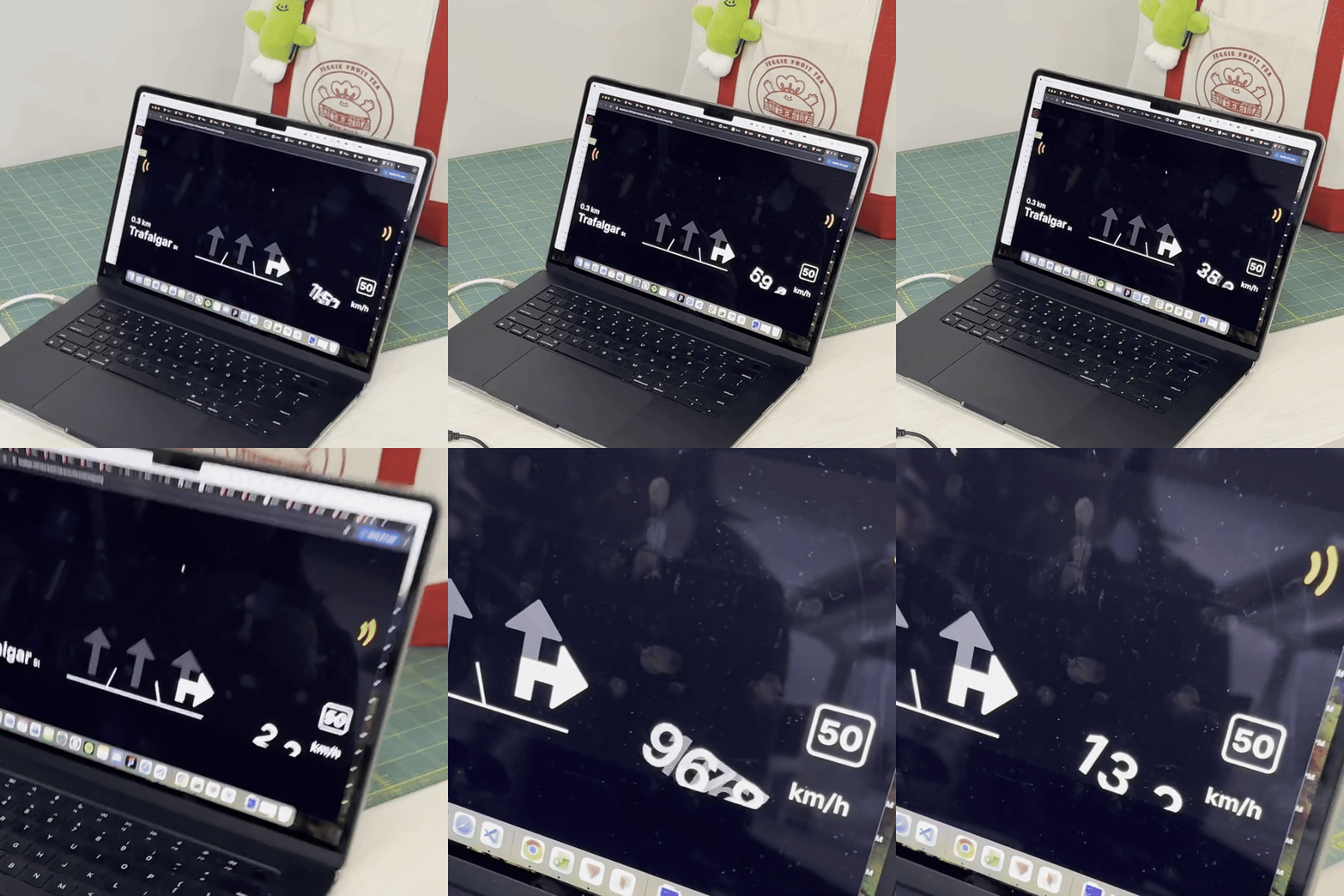
For our final Protopie, we used a polished version of our initial “windshield” by using wood and a grocery plastic bag for better projection. The set up consists of the Logitech Wheel connected to Protopie Connect, this allows for the Wheel interactions to trigger certain reactions on our Pie. This interface allows user to follow directions while keeping their eyes on the road. It showcases useful information such as speed limit, blind spot alarm, street names, arrows, and lanes.
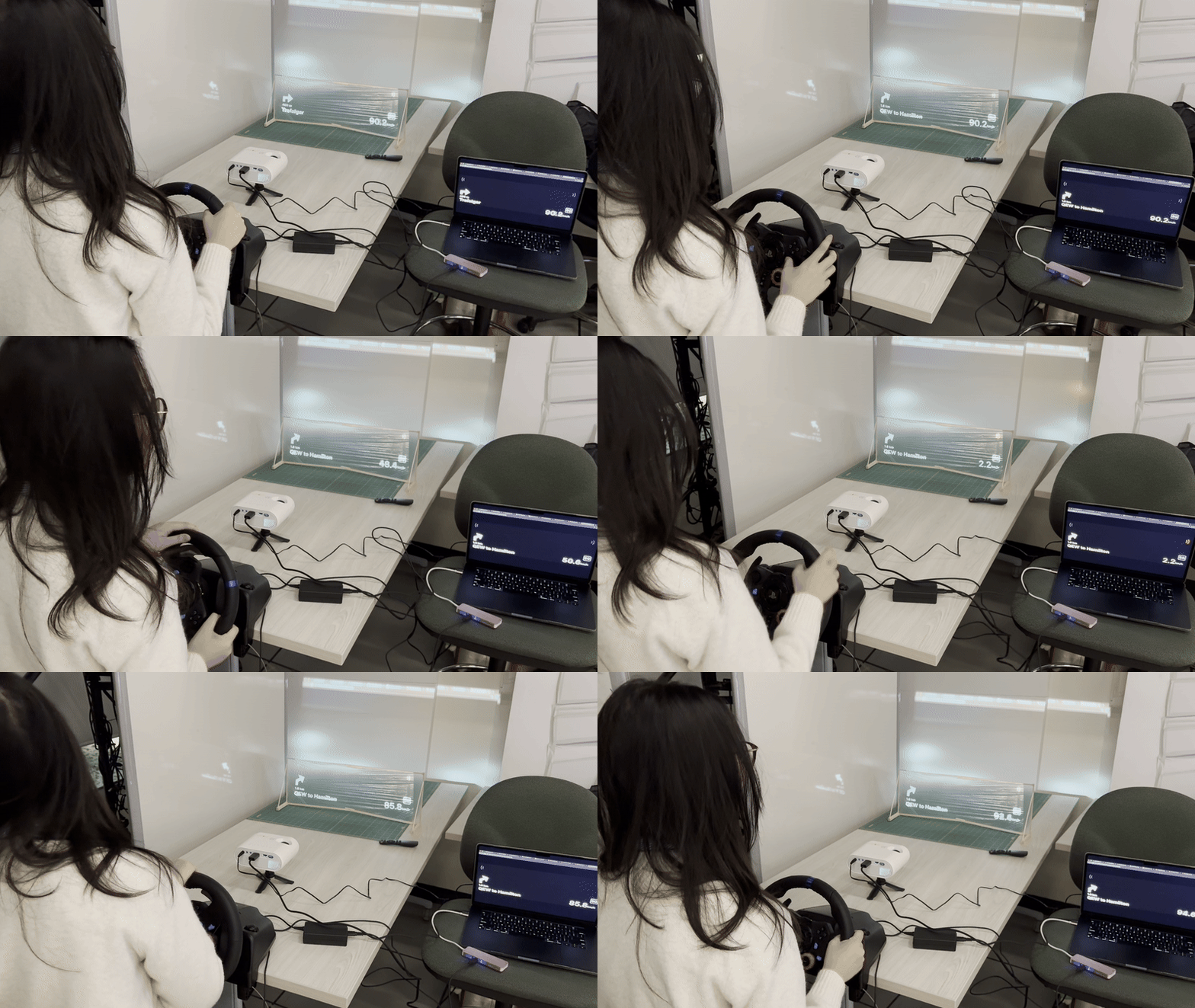
Drivers can view key information about their speed, and directions to their destination. They are also reminded when they merge lanes or turn of drivers or obstructions in their blind spots on the windshield of their car.
×

Powered by w3.css